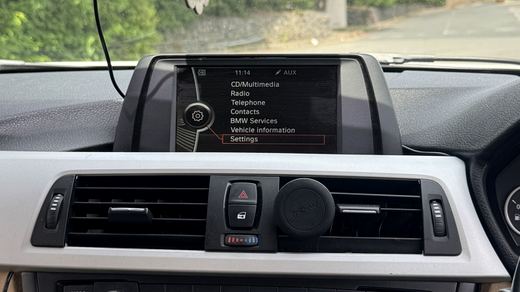
CIC-style systems
Often older menu styling. Compatibility can be different from later NBT and NBT EVO cars, so photos matter.
BMW iDrive version checker
You do not need to know every BMW code before enquiring. A few clear photos usually give enough clues for the first CarPlay, Android Auto or coding check.
What to send
BMW model names overlap across years, options and head units. A badge like 320d, 420d or 520d helps, but the iDrive generation decides the sensible route.
Visual clues
Often older menu styling. Compatibility can be different from later NBT and NBT EVO cars, so photos matter.
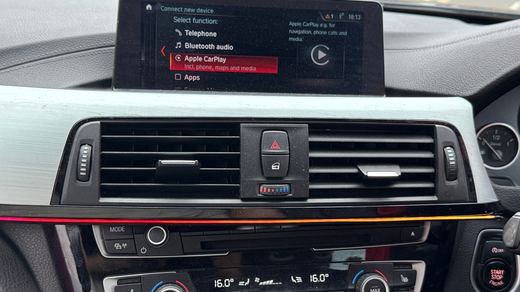
A common route for F-series BMWs. The exact options and hardware still need checking before confirming CarPlay or Android Auto.
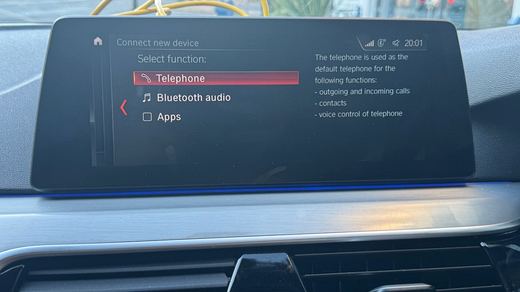
Some cars can support cleaner activation or upgrade routes, but the software and installed options still need verifying.
Next step
OEM Motion checks the likely iDrive route before quoting. BMW Apple CarPlay activation is £150 where compatible. Screen upgrades, Android Auto, diagnostics and coding are quoted after the car is checked.