Only three supported systems
The head unit must be confirmed as NTG5.1/NTG5s1, NTG5.2 or NTG5.5 before OEM Motion offers activation.
Mercedes CarPlay activation only
OEM Motion activates CarPlay only on confirmed NTG5.1/NTG5s1, NTG5.2 and NTG5.5 factory head units. We check the model, VIN, system photos and phone-marked USB port before quoting.
Simple compatibility check
This checker only covers OEM Motion's three Mercedes activation routes. A matching model or year is not enough on its own; the exact head unit and the factory phone-marked USB port must both be confirmed.
Activation-only service
This service enables CarPlay on compatible original hardware. It does not add an interface box, Android screen or replacement display.
The head unit must be confirmed as NTG5.1/NTG5s1, NTG5.2 or NTG5.5 before OEM Motion offers activation.
The Mercedes display, native menus, steering-wheel controls and rotary controller or touchpad remain in the car.
OEM Motion does not offer Mercedes retrofit modules, replacement screens or CarPlay work for head units outside the three listed systems.
A model name or registration year cannot confirm the installed head unit. OEM Motion checks the full VIN privately, plus menu, control and USB-port photos, before accepting a booking.
Supported head-unit guide
These are the model families OEM Motion checks for each activation route. Build dates and factory specifications overlap, so the car must still have the named head unit.
Sometimes written as NTG5*1. The vehicle must have this exact factory system; the model code alone is not enough.
Required: confirmed NTG5.1/NTG5s1 hardware, suitable software and the factory phone-marked USB port.
This route is associated with selected later C-Class and GLC vehicles. Registration year remains a guide, not proof.
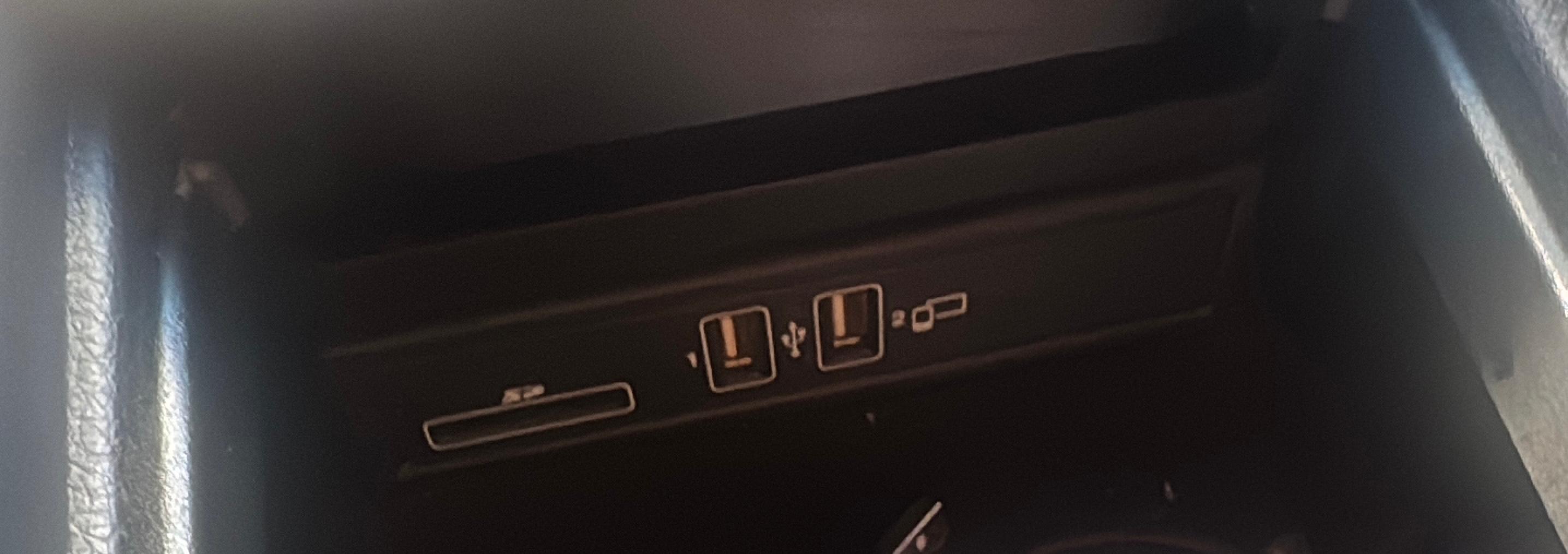
Required: confirmed NTG5.2, two factory USB ports and at least one port marked with the phone/smartphone symbol shown below.
Used across selected later Mercedes platforms. The version screen and VIN must confirm NTG5.5 before activation.
Required: confirmed NTG5.5 hardware, suitable software and the factory phone-marked USB port.
Physical USB check
The vehicle must have the correct factory smartphone-integration USB hardware. Open the centre-console storage area and photograph the USB ports clearly.
For NTG5.2 C-Class and GLC checks, there should be two USB ports and one must carry the phone/smartphone symbol.
Outside our Mercedes service: NTG4.x, NTG5.0, MBUX/NTG6 and other unlisted systems, as well as retrofit boxes, Android screens and replacement displays.
Real OEM Motion work
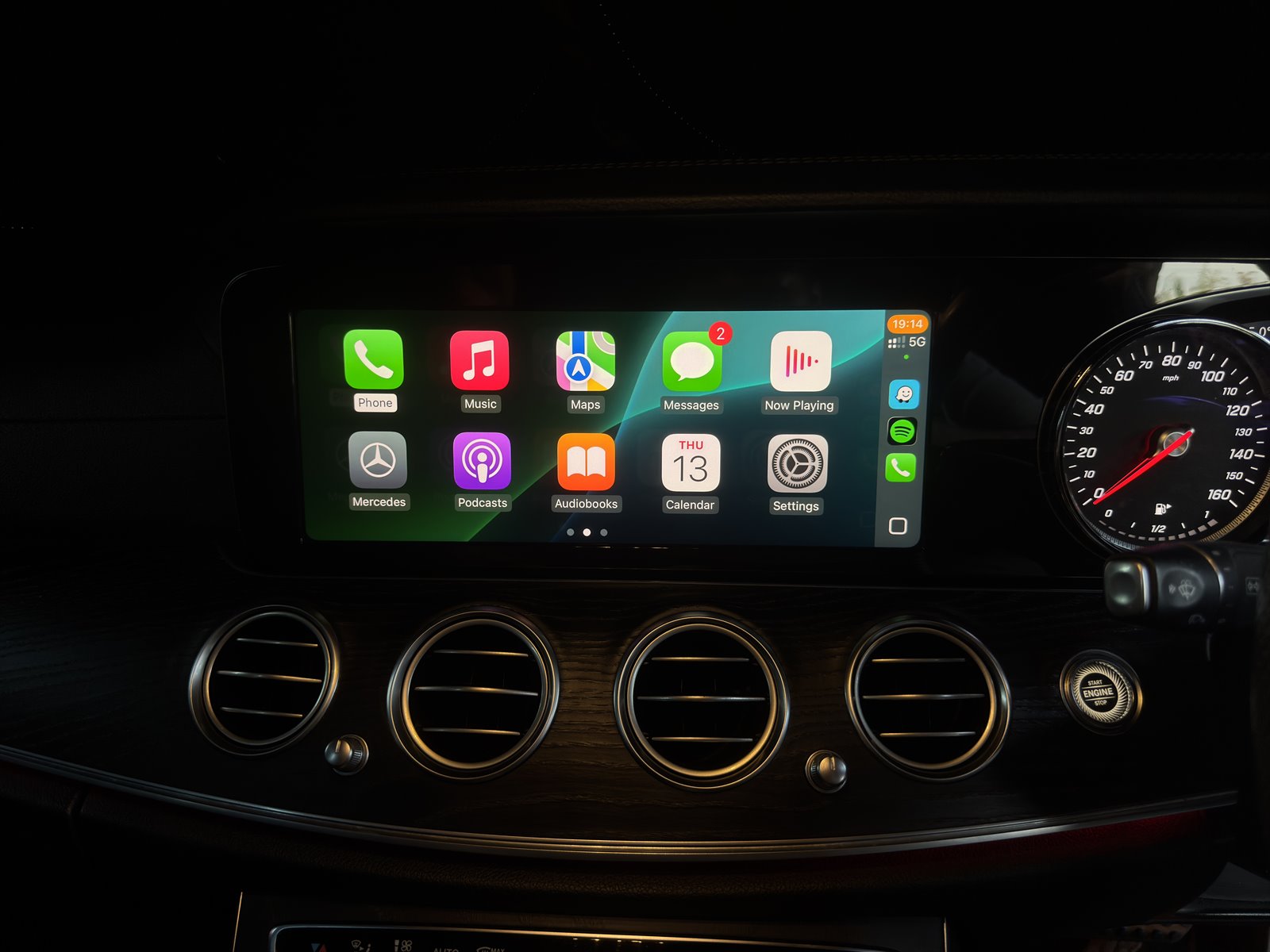
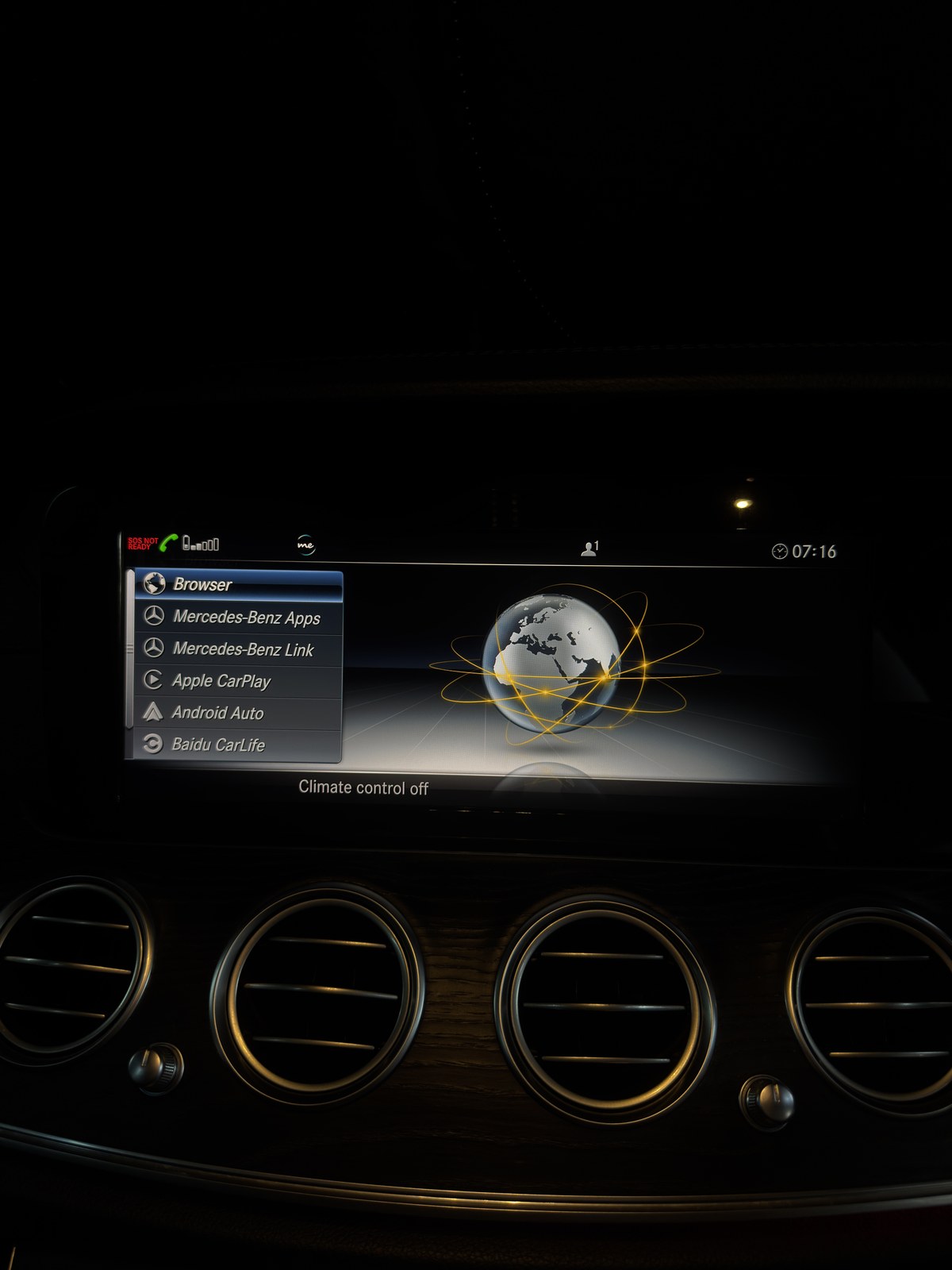
Photos from completed OEM Motion jobs show the individual results. The correct activation route still depends on the exact vehicle, hardware, software and installed options.
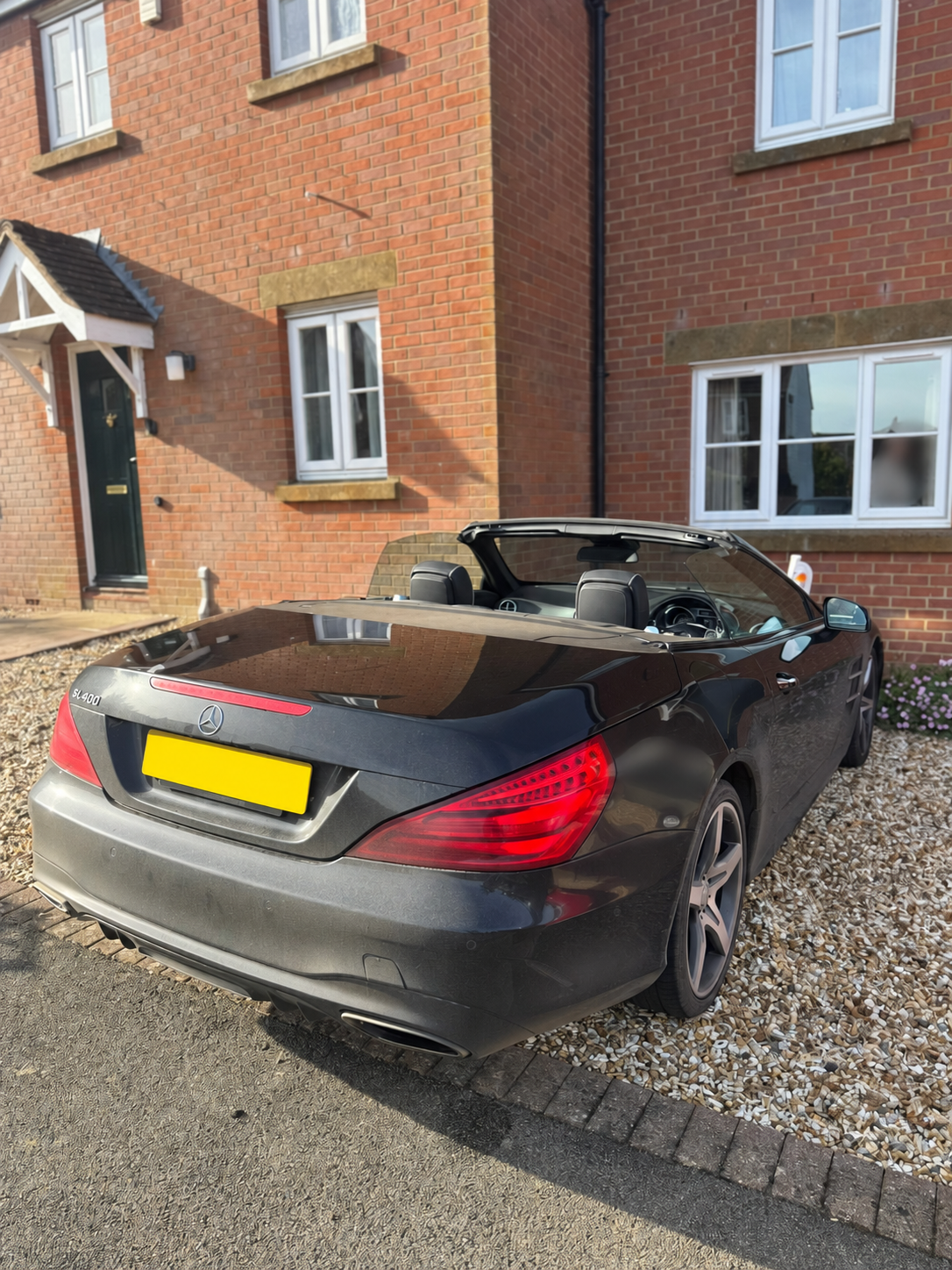
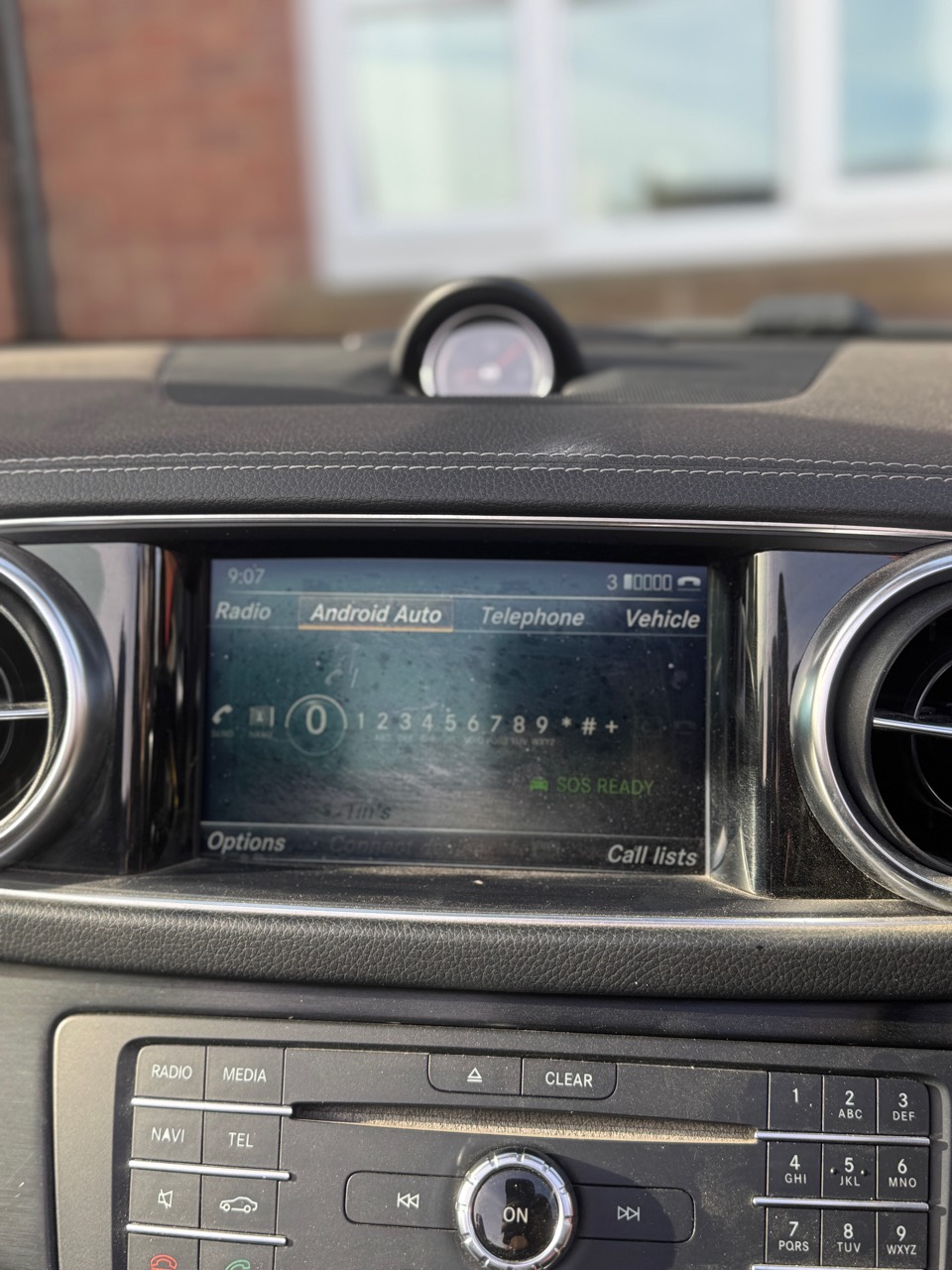
Apple CarPlay and Android Auto activation completed on this SL400. The photos show the car, Android Auto running on its display and the original Mercedes menu.
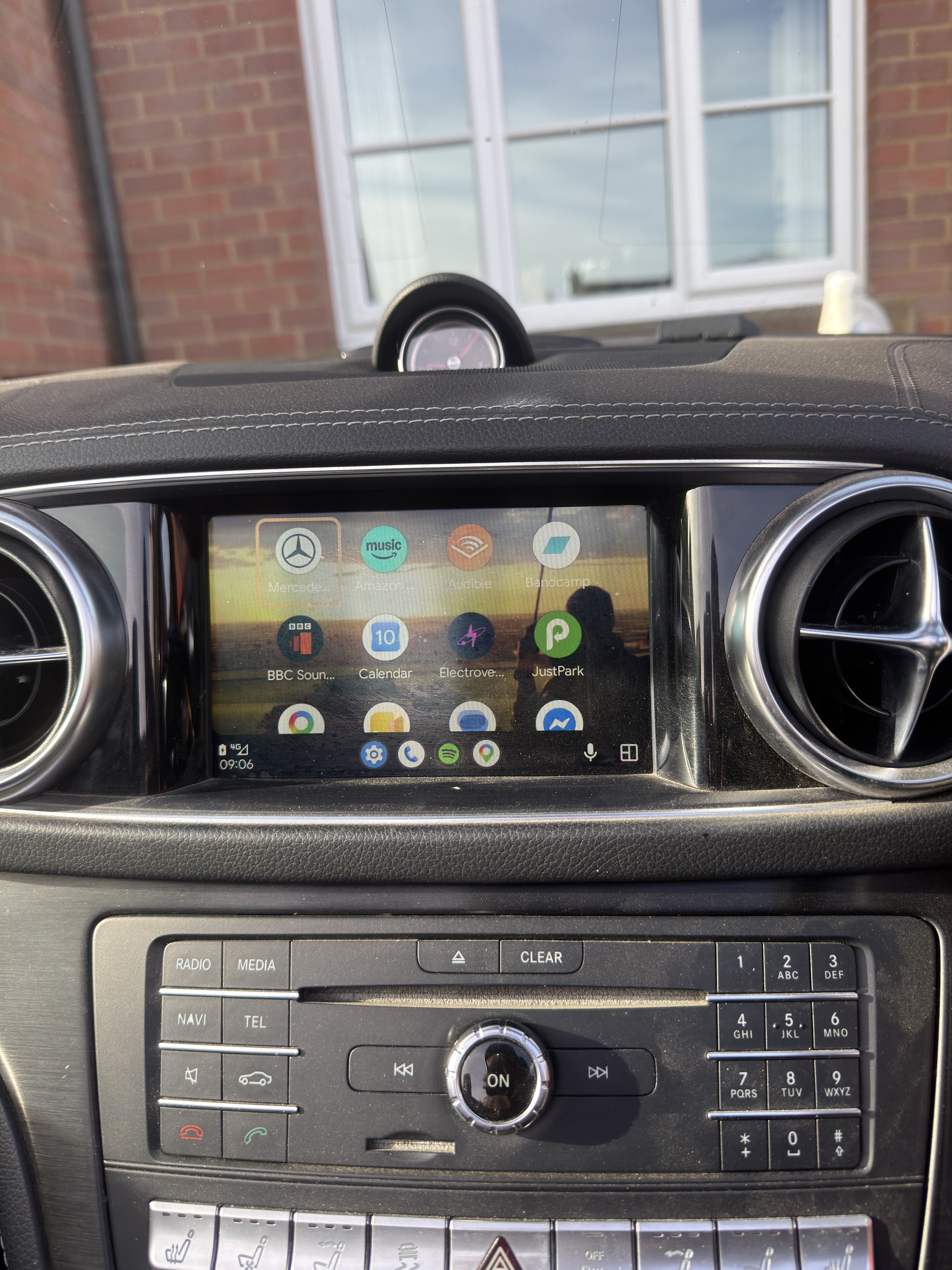
CarPlay active on the factory display, with the smartphone-integration menu documented.
How the check works
Use the checker to prepare the vehicle basics and identify the likely NTG generation without sending the VIN through a web form.
Paste the full VIN into WhatsApp and add clear photos of the version or home menu, centre-console controls and phone-marked USB port.
OEM Motion confirms whether the vehicle fits one of the three activation routes before quoting or arranging a booking.
Mercedes CarPlay FAQ
No. OEM Motion only offers activation for confirmed NTG5.1/NTG5s1, NTG5.2 and NTG5.5 factory head units. The head unit, software, VIN and required USB hardware must all be checked first.
A model badge and year are not enough to identify every installed system. The VIN and photos help narrow down the actual multimedia equipment and avoid quoting the wrong route.
No. The checker runs in your browser and has no form submission or database. The VIN is deliberately left out of the WhatsApp URL; paste it into the private chat after WhatsApp opens.
It identifies the factory smartphone-integration USB hardware needed by this activation route. For an NTG5.2 C-Class or GLC check, the car should have two USB ports and one must carry the phone/smartphone symbol.
Yes, on a confirmed supported activation. The factory Mercedes head unit, display, menus and compatible controls stay in place; OEM Motion is not installing a replacement screen or interface box.
No. The Mercedes service is activation only. OEM Motion does not offer Mercedes retrofit boxes, Android screens, replacement displays or CarPlay work for NTG4.x, NTG5.0, MBUX/NTG6 or other unlisted head units.
No. OEM Motion is an independent automotive retrofit and coding service. Brand and feature names are used only to describe vehicle systems and compatibility routes.
Start the private check
Select the model, year and system above, then continue to WhatsApp with the full VIN, menu photos and a clear photo of the phone-marked USB port.